
Authentic retro controls
Step waves, snap vertices, pixelate textures, distort UVs, reduce palettes, dither color, and band lighting deliberately.
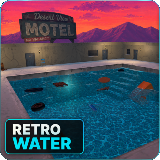
Stylized water that does more than look wet.
Build lakes, rivers, pools, swamps, and bounded oceans with profile-driven retro rendering, CPU surface sampling, Rigidbody buoyancy, projected caustics, underwater effects, and tiled-ocean LOD.
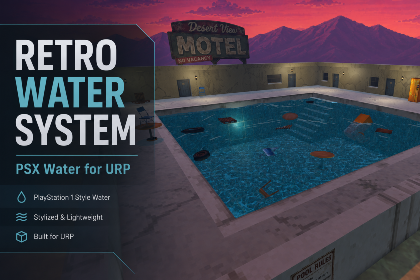
Retro Water System combines a hand-written URP water shader with the runtime systems that make water useful in a game. The same profile can drive appearance, CPU wave sampling, buoyancy, caustics, underwater effects, and optional ocean generation.
Push it toward crunchy PSX water with stepped animation, snapping, affine distortion, palette reduction, and dithering—or dial those effects back for cleaner low-poly and PS2-inspired results.
The package connects authoring, runtime behavior, and the controls needed to integrate it into a real game.
Step waves, snap vertices, pixelate textures, distort UVs, reduce palettes, dither color, and band lighting deliberately.
Drive the shader and supporting systems from one profile, then swap calm, stormy, polluted, or magical water at runtime.
Sample the same stepped wave field used by the shader so floating objects follow the water players can actually see.
Project animated, depth-aware caustics onto opaque geometry beneath the surface through the included renderer feature.
Detect the animated surface without trigger volumes and apply fog, tint, distortion, posterization, and dither below it.
Generate bounded oceans with viewer-based mesh detail, far-wave reduction, crack-free borders, and distance limits.
The exact controls differ, but each STL Dynamics system is structured to get a first result quickly and leave enough depth for serious tuning.
Open Retro Water docsStart from a provided profile and tune surface mapping, waves, color bands, highlights, foam, and retro treatment.
Enable buoyancy, caustics, underwater effects, or ocean generation only where the scene needs them.
Use the setup window to verify URP, repair renderer features, enable depth texture, and inspect the selected water surface.
Real editor workflows, runtime demos, feature breakdowns, and package presentation from the included media.
Open the official STL Dynamics videos on YouTube for the complete walkthrough and focused tutorials.
3 focused documents are available in the STL Dynamics documentation hub for Retro Water System for URP.


Define reusable SoundEvents, route playback through one managed pool, and keep large scenes under control with distance behavior, voice limits, loop virtualization, mixer routing, and runtime diagnostics.
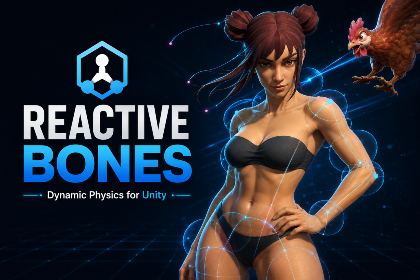

A complete bone-based secondary motion toolkit for hair, tails, ears, straps, cables, soft-body motion, plants, and accessories—with setup wizards, rig painting, smart collision, wind, runtime forces, optimization, and debugging.
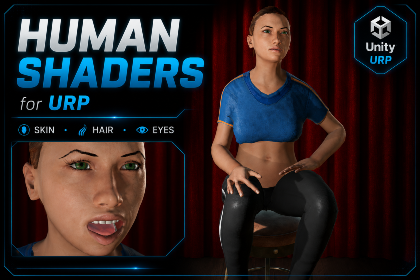
A complete URP character material toolkit with specialized human shaders, one editor workspace, texture packing, reusable profiles, diagnostics, runtime controls, and painted or geometric skin visibility workflows.