
Existing armature setup
Discover hierarchies, branching chains, multiple roots, rig problems, and virtual endpoints through the guided setup wizard.

Create the rig. Tune the motion. Add the collision you need.
A complete bone-based secondary motion toolkit for hair, tails, ears, straps, cables, soft-body motion, plants, and accessories—with setup wizards, rig painting, smart collision, wind, runtime forces, optimization, and debugging.
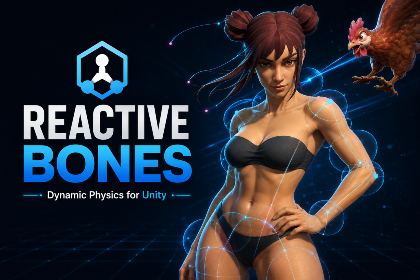
Reactive Bones is built around a visual, editor-first workflow. Use bones a model already has, or paint reactive regions directly onto a Mesh Renderer or Skinned Mesh Renderer and generate the bones, skin weights, and chains inside Unity.
From there, reusable profiles, centralized collision planning, ordinary Unity Collider interaction, wind, runtime forces, culling, and live diagnostics turn secondary motion into a system you can actually ship.
The package connects authoring, runtime behavior, and the controls needed to integrate it into a real game.
Discover hierarchies, branching chains, multiple roots, rig problems, and virtual endpoints through the guided setup wizard.
Paint hair, tail, or jiggle regions and generate bones, weights, chains, falloff, centerlines, and mirrored layers inside Unity.
Analyze characters, plan sparse capsule coverage, add manual volumes, preserve hand edits, and synchronize modular pieces.
Interact with ordinary Unity Colliders using layer filters, trigger rules, self-collision rejection, friction, and broadphase limits.
Drive motion with global, spherical, or box wind zones plus persistent forces and one-shot impulses from gameplay code.
Use distance and visibility culling, smooth sleep and wake, teleport recovery, solver substeps, and adaptive simulation budgets.
The exact controls differ, but each STL Dynamics system is structured to get a first result quickly and leave enough depth for serious tuning.
Open Reactive Bones docsRun the setup wizard on existing bones, or paint a mesh region and generate a non-destructive reactive rig.
Assign reusable physics profiles and tune damping, elasticity, stiffness, inertia, gravity, limits, and root-to-tip curves.
Plan character collision, enable selected Unity Collider interaction, add wind, and verify contacts and budgets live.
Real editor workflows, runtime demos, feature breakdowns, and package presentation from the included media.
Open the official STL Dynamics videos on YouTube for the complete walkthrough and focused tutorials.
Dynamic bone physics, collision, tooling, and runtime behavior.
Watch on YouTube ↗ ▶Official videoCreate Reactive Rigs in UnityPaint a mesh and generate a working reactive rig without leaving Unity.
Watch on YouTube ↗ ▶Official videoSet Up Hair CollisionsA focused walkthrough for character and hair collision setup.
Watch on YouTube ↗7 focused documents are available in the STL Dynamics documentation hub for Reactive Bones.


Define reusable SoundEvents, route playback through one managed pool, and keep large scenes under control with distance behavior, voice limits, loop virtualization, mixer routing, and runtime diagnostics.
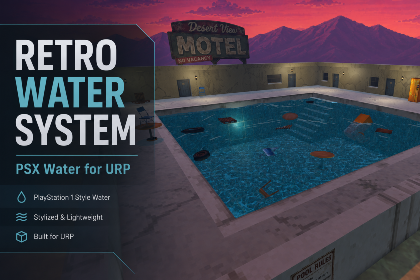
Build lakes, rivers, pools, swamps, and bounded oceans with profile-driven retro rendering, CPU surface sampling, Rigidbody buoyancy, projected caustics, underwater effects, and tiled-ocean LOD.
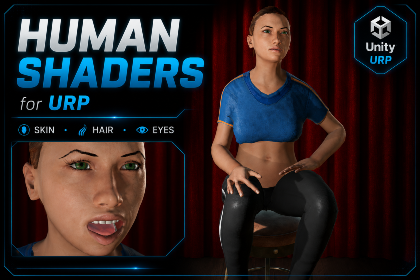
A complete URP character material toolkit with specialized human shaders, one editor workspace, texture packing, reusable profiles, diagnostics, runtime controls, and painted or geometric skin visibility workflows.